Cold email deliverability is the ability to reach the recipient's inbox. A sending tool accepting your campaign is not proof of inbox placement. Before launch, check authentication, the actual message, the recipient list and what happens after a reply.
Use the seven checks below as an evidence log. For each one, keep the result, the date, the person responsible and the next action. A row marked “done” without evidence is hard to troubleshoot later.
1. Verify the domain on a message that was actually sent
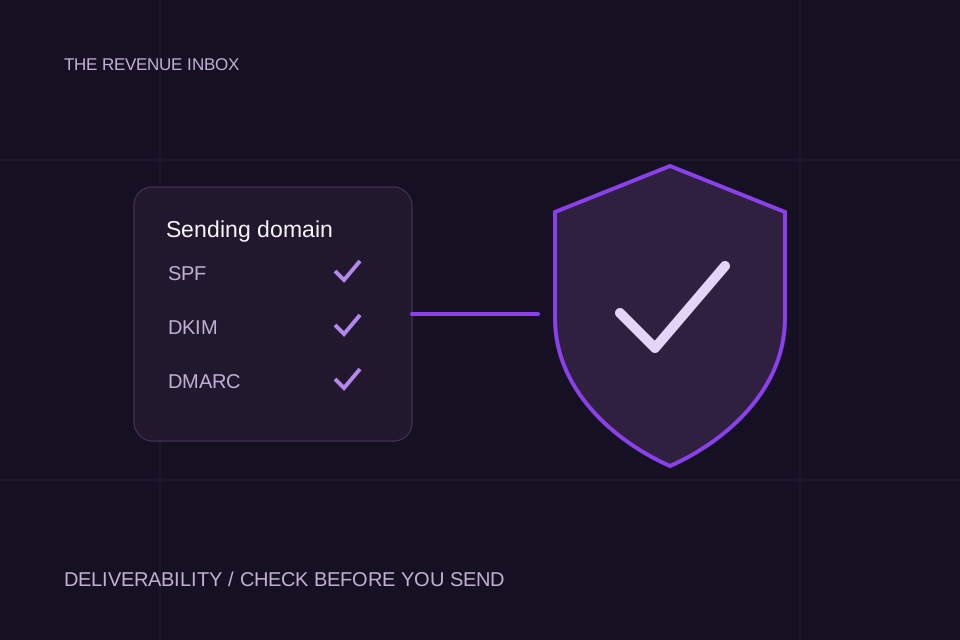
Check the visible From domain and the authentication results in a received test message. DNS records alone do not show that the sending service used them correctly. Save the message headers privately, with addresses redacted before sharing.
Google's sender guidance distinguishes personal Gmail recipients and sender volumes. Its bulk requirements include SPF, DKIM and DMARC with alignment. These are not requirements for every provider or permission to send unwanted mail.
Save: the sending domain, test date, authentication results and service that sent it. If a check fails, ask the mailbox or sending provider to diagnose the configuration before launch. Do not copy another company's DNS values.
2. Confirm the sender identity and message match
Use the real sender's name, an accurate subject and an honest reason for reaching out. A first message should not pretend to be a reply. Review the actual merge output, not just the template in the editor.
Preview examples for different companies and roles. An empty variable, the wrong company name or a claim inferred from weak data makes the message harder to trust even when authentication passes.
Save: the final rendered email and the data fields used to create it. Our template collection includes situations where a message should not be used at all.
3. Check recipient fit before checking volume
Write the account criteria and the person responsible for the problem. Remove duplicates and suppressed contacts before enrollment. Record how you assessed the address and what its verification status means in your chosen tool.
An address marked valid does not tell you whether the person wants the offer. A company matching an industry label does not prove it fits your ideal customer profile. Keep those decisions separate.
Save: the inclusion rules, exclusion rules and a redacted sample reviewed by a person. Include the reason each sample account belongs on the list. If you cannot explain that, adding more contacts will make the test less useful.
4. Make opting out work across the campaign
Make the opt-out clear and test the actual removal process. A reply asking you to stop should prevent another sequence from enrolling the same person. If several tools or people touch the list, define where the suppression record lives.
For bulk marketing and subscribed messages to personal Gmail accounts, Google's rules include one-click unsubscribe. A footer sentence is not the same mechanism as that header-based requirement. Ask your provider which requirements apply to the messages you send.
Save: the suppression owner and the result of a test opt-out, including whether a later import is blocked. This is a process check, not a substitute for reviewing applicable rules for the recipients and channel.
5. Choose a monitored rollout, not a magic daily limit
There is no daily inbox allowance established by this checklist. A provider's account limit is a ceiling, not a recommendation or a guarantee of delivery. Avoid turning a number from a forum into a universal operating rule.
Start with a rollout you can inspect. Decide in advance who watches failures, which signals cause a pause and how changes are recorded. Do not increase sending simply to compensate for weak replies.
Save: the intended sending pattern, provider limits, launch owner and stop conditions. If performance changes, keep the timeline so you can see whether volume, audience or configuration changed first.
6. Look for failure signals beyond opens
Track bounces and rejection messages. Review complaints and reputation information where your provider makes it available. Keep recipient-provider differences visible rather than blending everything into one campaign average.
Google recommends keeping its Postmaster spam rate below 0.1% and never reaching 0.3%. That metric has a specific reporting context; it is not interchangeable with a campaign's unsubscribe rate. Open tracking cannot establish inbox placement on its own.
Save: available provider reports, error messages and the date range. A blank report is not proof of perfect health. Use the measurement guide to separate engagement from delivery assumptions.
7. Test the reply-to-booking handoff
Send a test reply and follow it through. Confirm that the right person sees it, automated follow-ups stop when they should, opt-outs are handled and an interested buyer receives a sensible response.
Deliverability earns you a chance to start a conversation. A lost reply wastes that chance. In the Networked sales campaign, the case study explains the operating work alongside the reported meetings. Read the mechanism as well as the headline number.
Save: the reply owner, test outcome and escalation path when that person is unavailable. A tool being connected is not the same as someone owning the conversation.
Keep a launch record you can use later
Copy this structure into a private sheet:
Swipe to see all columns.
| Check | Evidence to keep | Owner and date | Decision |
|---|---|---|---|
| Authentication | Redacted received headers | Fill in | Ready or investigate |
| Message | Rendered merge samples | Fill in | Ready or revise |
| Audience | Fit rules and reviewed sample | Fill in | Ready or narrow |
| Opt-out | Suppression test result | Fill in | Ready or fix |
| Rollout | Sending pattern and stop conditions | Fill in | Ready or pause |
| Monitoring | Available reports and error log | Fill in | Ready or investigate |
| Replies | Handoff test and owner | Fill in | Ready or fix |
Resolve the failed rows first. Keep the sheet with the campaign so the next operator can see what was checked, what changed and why.
Sources and working
Google's linked guidance concerns personal Gmail recipients. It is not a universal specification for every mailbox provider. The checklist and evidence log are our suggested working method, not a certification or an inbox-placement guarantee. Checked on 16 October 2026.